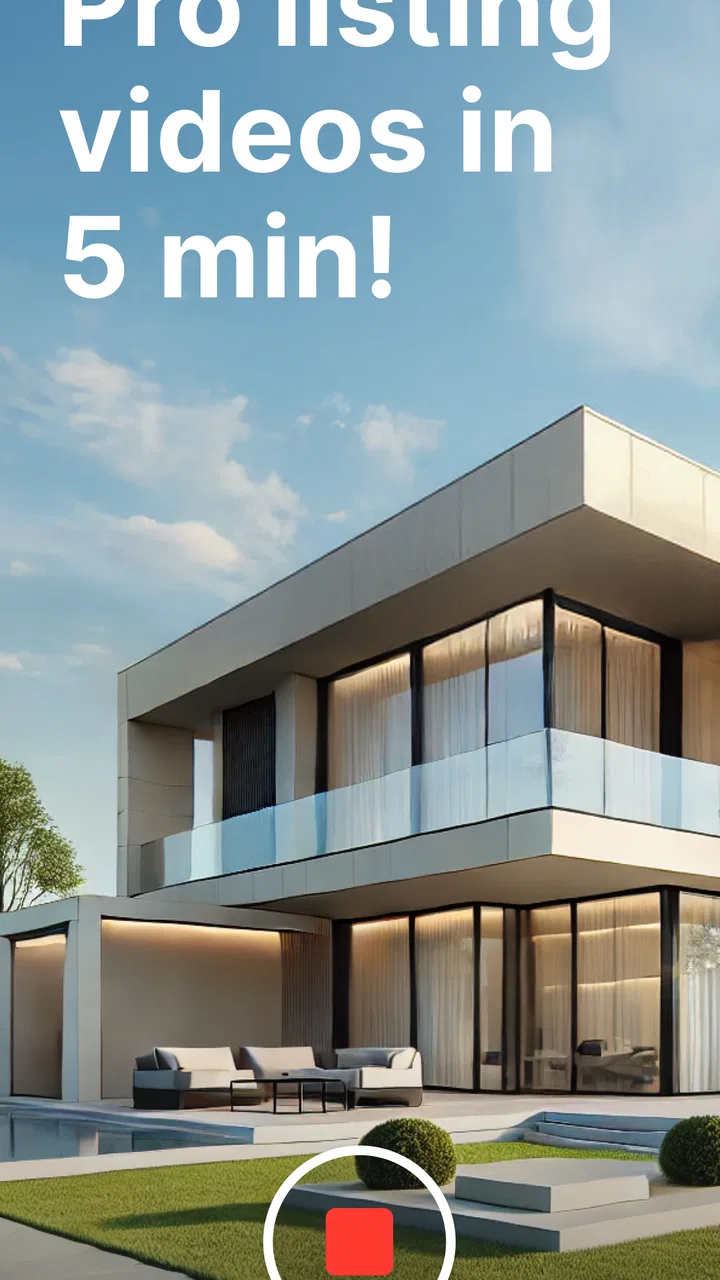
Momenzo: Real Estate Videos
- 3.9
- Rating
- 50.00K
- Installs
- Free
- Price

 Analysis by App-foxy
When I first opened Momenzo: Real Estate Videos, I understood the appeal almost immediately: it is aimed at turning property photos and clips into a presentable listing video without asking me to learn a full desktop editor. That focus makes it feel much more practical than a general video app when the goal is to show a home, apartment, room, or commercial space clearly and quickly.
The app comes from Momenzo Ltd. and sits in the video players and editors category. It is free to install, rated for Everyone, and supports Android devices running version 8.0 or later. Its store summary promises a listing video in five minutes, which is an ambitious target, but the basic idea is sound: reduce the number of editing decisions between taking property media and sharing a finished presentation.
My main question was not whether it could produce one attractive video. Many editing apps can do that once. The more useful question is whether it deserves a regular place on a real estate professional’s phone after the first week of experimentation. In my experience, the answer depends on how often you create property listings, how much control you expect over the final edit, and how comfortable you are working within a guided format.
You May Also Like

 Pandora - Music & Podcasts
Pandora’s Music Is Easy to Start, but Harder to Recover
Pandora’s strength is its low-effort path from a seed to a station. Its weak spot is how much confidence it asks you to place in connection, setup, and quiet recovery.

 AccuWeather: Weather Radar
AccuWeather Review: A Quick, Clear Forecast for Everyday Decisions
For everyday plans, the best forecast is the one you can understand quickly. AccuWeather makes rain timing, radar, and local conditions easy to act on, with a few trade-offs.

 Hill Climb Racing
Why Hill Climb Racing Still Turns Crashes Into One More Run
A tiny car, a bumpy hill and one more upgrade: Hill Climb Racing keeps resurfacing because its simple chaos makes every near-miss feel personal.

 AliExpress - Shopping App
AliExpress Makes Global Shopping Feel Personal, but Shoppers Bear the Risk
AliExpress turns a global marketplace into a pocket-sized discovery engine. Its reach is useful, its shopping loop compelling, and its trade-offs easy to miss.

 Lords Mobile: Kingdom Wars
Lords Mobile Is a Kingdom-Building Routine, Not a Quick Match
A case-by-case verdict on the building, battles, device demands, and social commitments that make Lords Mobile rewarding for some players and exhausting for others.

 PDF Scanner app - TapScanner
TapScanner Makes Paperwork Easier to Capture, Check, and Share
TapScanner makes scanning with a phone feel less like a rescue operation and more like a dependable step in getting work done. Its capture tools are useful, though not flawless.
More From Our News Desk
View All News


Why the first week feels so productive
The strongest early impression is speed of direction. A normal mobile editor gives me a blank timeline, a collection of tools, and a long list of choices. That flexibility is valuable, but it also creates friction. I have to decide the order of clips, adjust timing, choose transitions, add text, select music, and then check whether the result still feels like a property presentation rather than a random montage.
Momenzo approaches the task from the opposite direction. Instead of making me build everything from scratch, it is designed around the particular rhythm of a listing video. That makes the first session easier for someone who knows the property but does not want to become a video editor. I can concentrate on selecting useful material: an exterior view, the entrance, the main living area, the kitchen, bedrooms, bathrooms, outdoor space, and any feature that genuinely helps a viewer understand the home.
This is especially useful in a realistic everyday situation. Imagine finishing a viewing in the afternoon and realizing that the listing needs a fresh social video before the evening. I may have a mixture of short phone clips and still images, but not enough time to sit at a computer. A focused mobile workflow can help me turn that material into something coherent while the property is still fresh in my mind.
The first-week appeal also comes from reduced decision fatigue. A general-purpose editor often rewards experimentation, while a property-focused tool rewards consistency. If I am preparing several listings, I do not need a completely different visual concept for every home. I need a dependable way to make each property easy to scan, with the important spaces appearing in a sensible order and the supporting information remaining readable.
That does not mean every source clip becomes good automatically. A shaky walk-through, a dark room, or a vertical clip with distracting background clutter will still weaken the result. The app can organize presentation, but it cannot replace careful filming. My best practical tip is to capture fewer, steadier clips rather than filling the project with every piece of footage on the phone. A short, intentional sequence usually communicates more than a long tour with repeated angles.
Another useful habit is to prepare the media before opening the editor. I sort the strongest images first, remove accidental shots, and check that the important rooms are represented. This sounds simple, but it changes the experience considerably. The app is most helpful when I use it as the finishing stage of a small property-content workflow, not as a rescue tool for an unorganized camera roll.
Where it helps people who are not editors
For an independent agent, landlord, property manager, or homeowner preparing a rental presentation, the guided approach can be more valuable than advanced editing power. The learning curve is lighter because the app is built around a specific communication job. I do not have to understand professional timelines to create something that feels more deliberate than a sequence of unedited phone clips.
It can also help a small team maintain a recognizable presentation style. When different people create listing content, a focused template-based workflow may reduce the visual gap between one person’s video and another’s. That consistency matters when a business publishes frequently and wants viewers to spend their attention on the property rather than on wildly changing editing styles.
There is a trade-off, however. A guided experience is only an advantage while its choices match my needs. If I want unusual pacing, precise text placement, detailed color correction, layered branding, or a carefully choreographed cinematic tour, I may outgrow the app quickly. A conventional editor such as a full-featured mobile timeline tool is better when creative control matters more than speed.
What makes the second and third projects different
The first project is partly about discovery. I test how the app handles my images and clips, learn which material looks strongest, and see whether its presentation style suits the kind of properties I show. The second project is where the practical value becomes clearer. I can repeat the workflow with less hesitation and start noticing which steps actually save time.
One non-obvious benefit is that a repeatable process can improve the quality of the footage I collect. Once I know I want a clean opening, a logical room sequence, and a strong closing view, I begin filming with the final video in mind. The app therefore influences the capture stage, not only the editing stage. That is a useful long-term effect, because better source material reduces editing work regardless of which tool I use.
I also found it useful to think in terms of viewer attention rather than room inventory. A listing video should not merely prove that every room exists. It should create a quick sense of movement through the property. I would rather show one convincing angle of a bright kitchen than several nearly identical shots. Momenzo’s focused purpose encourages that discipline, even though the responsibility for choosing the right material remains mine.
What remains valuable from month to month
The app earns recurring value when property videos are a regular part of my work. If I only create one home video every few months, the convenience may not outweigh the need to remember the workflow again. If I publish listings weekly, the calculation changes. The time saved on setup, sequencing, and presentation can become meaningful, especially when I am working alone or handling several properties at once.
Its strongest month-to-month role is as a production shortcut. I would not choose it because it replaces every other editing tool. I would choose it because it can make routine listing content less demanding. That distinction matters. A shortcut has lasting value when the task repeats often and the acceptable result is clear.
The app’s average rating is 3.9 from around 500 ratings, with roughly 25 written reviews, and it has passed 50 thousand installs. Those figures suggest a modest but real user base rather than a universal standard for property marketing. I would read that as a reason to approach it practically: it may be a useful specialist tool for the right workflow, but it is not something I would assume fits every creator or agency.
Because it is free to install, trying the basic workflow is relatively easy. The more important financial question is what happens when I need more than the initial experience provides. In-app purchases are listed from about 24 dollars to about 170 dollars per item, so I would not treat the app as automatically free for ongoing professional use. Before building a business process around it, I would check which tools or content I actually need and whether the purchase structure makes sense for the number of videos I produce.
This is one of the key trade-offs for long-term adoption. A free starting point lowers the barrier to testing, but professionals should evaluate recurring value rather than being impressed by the first successful export. If the app saves enough time across many listings, a paid option may be reasonable. If I only need occasional videos, a general editor I already use might be the more economical choice.
How it compares with ordinary mobile editors
Compared with a general mobile video editor, Momenzo is more specialized and less open-ended. A standard editor usually gives me broader control over cuts, layers, audio, effects, and timing. That is the better choice for a creator producing property documentaries, agent introductions, renovation stories, or highly branded campaigns. It is also preferable when I need the same footage to serve several unrelated formats.
Momenzo makes more sense when the desired result is narrower: a clean, quick property presentation that can be prepared on a phone. Its advantage is not that it offers the deepest editing toolbox. Its advantage is that it starts from the real estate use case, so I spend less energy translating a generic editor into a listing workflow.
Compared with simply posting a slideshow or a raw walk-through, the app offers a more intentional middle ground. A slideshow can be fast but feel static. An unedited walk-through can feel authentic but may be difficult to watch if the camera movement is uneven or the route is unclear. A guided listing video can combine the clarity of selected images with the energy of motion, provided I choose the source material carefully.
There is no universal winner here. I would use Momenzo for routine listings and quick updates, a general editor for campaigns requiring precise creative control, and raw clips only when speed or authenticity is more important than polish. The right choice depends on the audience, the property, and how much time I can spend on each piece of content.
The maintenance burden after the novelty fades
Any editing app can feel efficient during the first week because learning something new is motivating. The real test is whether it remains easy when I am tired, busy, or working under a deadline. Momenzo’s maintenance burden is relatively manageable if my process stays simple: collect the best media, create the video, review the pacing, and export or share it where needed.
The burden increases when I expect the app to solve every presentation problem. I still need to keep my phone’s media organized, record stable footage, check that rooms are well lit, and review the final video before publishing. I also need to watch for details that can undermine trust, such as an awkward opening, a repeated image, a room shown out of sequence, or text that disappears too quickly for a viewer to read.
My most useful maintenance tip is to create a repeatable capture checklist outside the app. I would include the street-facing exterior, entry, main living space, kitchen, primary bedroom, bathrooms, storage, outdoor areas, and one or two distinctive details. The exact list can change with the property, but having a baseline prevents me from discovering during editing that the most important space was never filmed properly.
A second tip is to make a short review pass with the sound off and another with attention on the audio. The first pass reveals pacing and visual repetition. The second helps me notice whether the finished presentation feels distracting or unbalanced. Even a fast review can catch problems that are easy to miss while I am focused on completing the project.
Device compatibility is also part of maintenance. The current version is 4.8.1 and the app requires Android 8.0 or newer, so users with older phones should check compatibility before planning a workflow around it. On a supported device, I would still keep enough free storage for source media and finished videos, because video work becomes frustrating when the phone is already crowded.
Where fatigue begins
The first source of fatigue is repetition. A specialist workflow is efficient because it repeats familiar patterns, but that same structure can feel restrictive after many similar projects. If every listing begins to look too alike, the app may stop feeling like a time saver and start feeling like a visual constraint. I would counter that by varying the footage and opening view rather than forcing unnecessary effects into every video.
The second source is the gap between quick creation and professional refinement. A fast listing video can be perfectly adequate for a timely social post, but some properties deserve more careful storytelling. A luxury home, a renovation project, or a property with a complicated layout may need precise pacing and custom explanations. In those cases, the time saved at the beginning can be lost later if I cannot shape the result exactly as I want.
The third source is commercial expectation. A free installation can make the app feel low-risk, but the listed in-app purchase range means I should think about long-term cost before relying on premium capabilities. I would not make a purchase simply because the first template looks attractive. I would first create several realistic projects, identify the limitation that affects my work, and decide whether paying removes a genuine bottleneck.
Another practical question is whether the app suits the person doing the filming. If an agent already has a trusted editing routine and enjoys controlling every cut, Momenzo may feel less capable than the tools they know. If a beginner is uncomfortable with timelines and wants a focused way to present properties, that same limitation can feel like relief.
I would also skip it for projects where the video itself is the product. A marketing studio producing polished campaigns needs deeper control over typography, audio, color, pacing, and brand integration. Momenzo is better understood as a specialist production aid for listing content, not a replacement for a complete post-production environment.
Questions I would answer before relying on it
Can a beginner use it without video-editing experience? I believe that is one of its clearest use cases. The property focus gives the workflow a purpose, so a new user can make sensible progress without first mastering a complex timeline. I would still recommend starting with a small test property rather than a high-stakes listing.
Is it suitable for professional agents? Yes, when the agent values speed and repeatability. It can be a practical addition for routine listings, quick property updates, and social content made directly from a phone. It is less suitable as the only tool for an agency that needs highly customized brand videos.
Does free installation mean every useful capability is free? I would not assume that. The app is free to install, but in-app purchases range from around 24 dollars to around 170 dollars per item. I would test the workflow first and treat any purchase as a business decision based on repeated use, not as a requirement to begin exploring it.
Will it make weak footage look professional? No app can fully repair poor filming. The best results depend on stable clips, sensible room coverage, and a clear visual route through the property. Momenzo can help organize a presentation, but it cannot make a dark, shaky, or cluttered room appealing by itself.
Is it worth keeping installed if I only create occasional property videos? That depends on whether the focused workflow is easier for me than the editor I already have. Occasional users may prefer a familiar general editor, especially if they also create travel, family, or business videos. The specialist advantage becomes stronger when property content is a recurring responsibility.
My long-term verdict
After the novelty fades, I see Momenzo as a useful specialist rather than an all-purpose editor. Its lasting value comes from reducing the mental work involved in turning property media into a presentable listing video. For someone who regularly markets homes from a phone, that narrow focus can become a dependable habit instead of a one-time experiment.
I like that it encourages a practical workflow: prepare the media, select the strongest views, let the property guide the sequence, and review the result before sharing. The app is most convincing when I need something clear and timely, not when I want to express a highly individual editing style.
My reservations are equally clear. The guided format may become repetitive, advanced creators may want more control, and the in-app purchase range deserves careful consideration before professional adoption. The free installation makes testing straightforward, but lasting value depends on whether the app saves real time across repeated listings.
For an independent agent, landlord, property manager, or beginner who wants a faster route from phone footage to a property presentation, I would recommend giving it a fair trial. For a filmmaker, marketing agency, or meticulous editor who needs complete control over every visual and audio decision, I would choose a broader editing tool instead.
Overall, the app earns space on my phone when real estate videos are a regular task and consistency matters more than limitless creativity. It does not replace good filming or thoughtful marketing, but it can make the routine part of the job easier to repeat. That is a modest promise, yet it is the kind of promise that can remain useful month after month when the workflow genuinely matches the work.
FAQs for Momenzo: Real Estate Videos
01What is Momenzo: Real Estate Videos used for?
Momenzo is a mobile video creation app designed primarily for real estate professionals, agents, and property marketers. It helps you turn property photos, videos, and listing information into polished real estate presentations. Instead of editing everything manually, you can use ready-made templates, transitions, text overlays, music, and branding elements to create videos suitable for property listings and social media promotion.
02Is Momenzo suitable for beginners without video editing experience?
Yes. Momenzo is built for users who want professional-looking property videos without learning complex editing software. After selecting a template and adding your listing media, the app guides you through the main steps, such as arranging content, entering property details, and adding branding. However, beginners may still need some time to understand the available customization tools and produce consistently polished results.
03What features does Momenzo offer for real estate marketing?
The app focuses on features that are useful for property promotion, including real estate video templates, photo and video arrangements, animated transitions, text for prices or property details, music, logos, and agent branding. Depending on the selected plan and current app version, additional options may be available for social media formats, branded exports, and creating content tailored to different types of property listings.
04Is Momenzo: Real Estate Videos free to download and use?
Momenzo can generally be downloaded from the relevant mobile app store, but access to all tools may depend on the subscription or purchase options offered inside the app. Free access may be limited by templates, exports, branding, video quality, or other features. Before creating a large number of listings, check the current pricing, trial conditions, renewal terms, and cancellation policy shown in the app store.
05Can videos created with Momenzo be shared on social media?
Yes, Momenzo is intended to help real estate users create promotional videos that can be shared through digital marketing channels. Finished projects may be suitable for platforms such as Instagram, Facebook, TikTok, messaging apps, or property-related websites, depending on the export settings. Always review the final video before publishing to confirm that contact details, listing information, branding, music, and formatting appear correctly.
Pros
- AI-assisted editing creates polished property videos quickly.
- Includes templates designed specifically for real estate listings.
- Supports branded intros
- outros
- logos
- and contact details.
- Vertical video formats work well for social media property marketing.
- Simple interface makes it accessible to agents without editing skills.
Cons
- Advanced branding and editing options may require a paid subscription.
- Some templates can make listings look similar to competing videos.
- Rendering larger property videos may take noticeable time.
- Results depend heavily on the quality of the photos and footage provided.
- Export and format options may be limited compared with professional editors.

Momenzo: Real Estate Videos
Gallery